
BLENDER: PREPARING SCENE FOR BLUEPRINTS
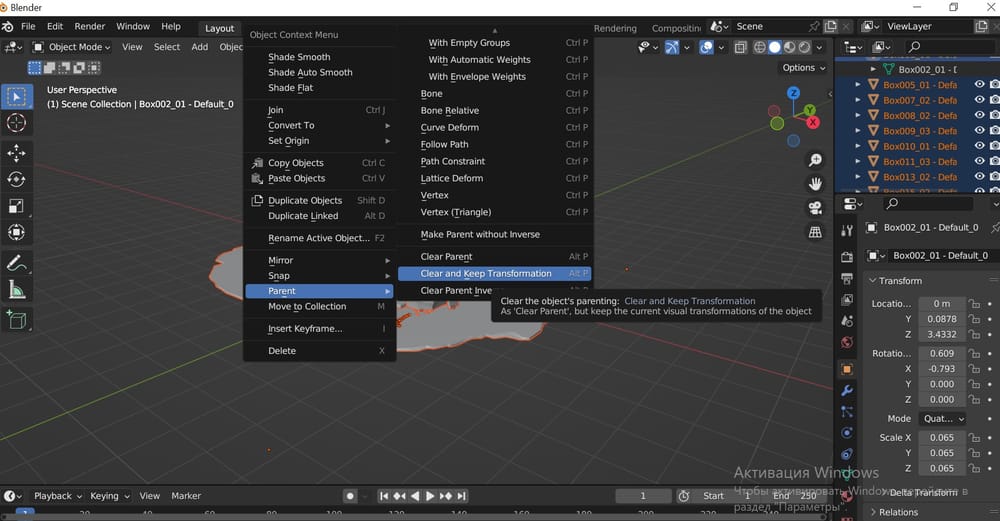
1 - FLATTEN SCENE HIERARCHY
1 - Select everything in scene
2 - Right mouse click
3 - Selct: Parent
4 - Click: Clear and Keep Transformation
2 - REMOVE NON MESH OBJECTS
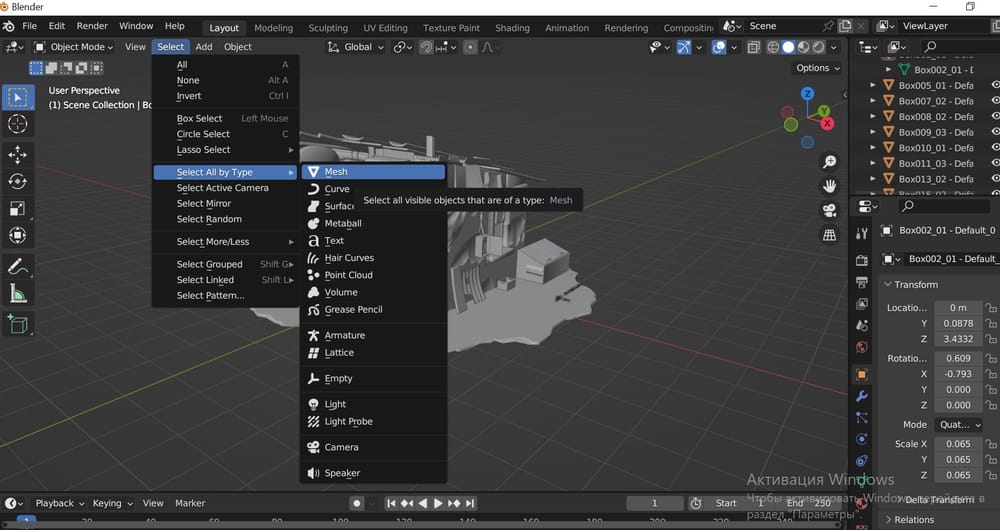
1 - Click: Select (in top of screen)
2 - Select: Select All By Type
3 - Click: Mesh (all meshes in scene will be selected)
4 - Press: CNTRL+ i on keybord (to invert selection)
5 - Press: Delete on keybord (all non mesh objects in scene will be deleted)
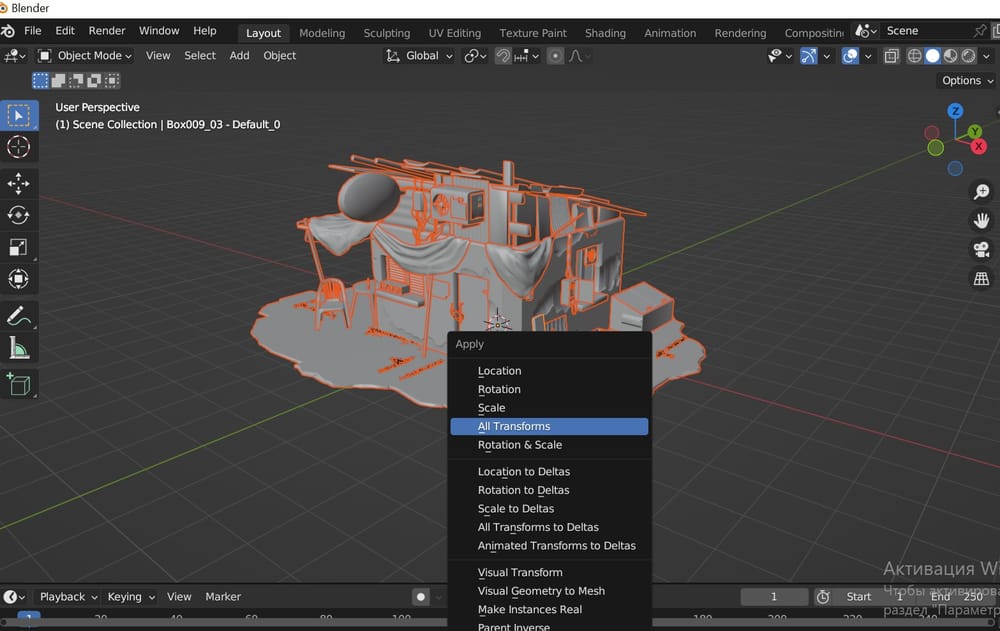
3 - RESET ALL TRANSFORMS
1 - Select all objects in scene
2 - Press: CNTRL + A on keyboard (To open Apply menu)
3 - Click: All transforms (To apply/reset all transforms)
4 - REMOVE UNSUPPORTED TEXTURE TYPES
1 - Go to Shading menu (in the top of the screen)
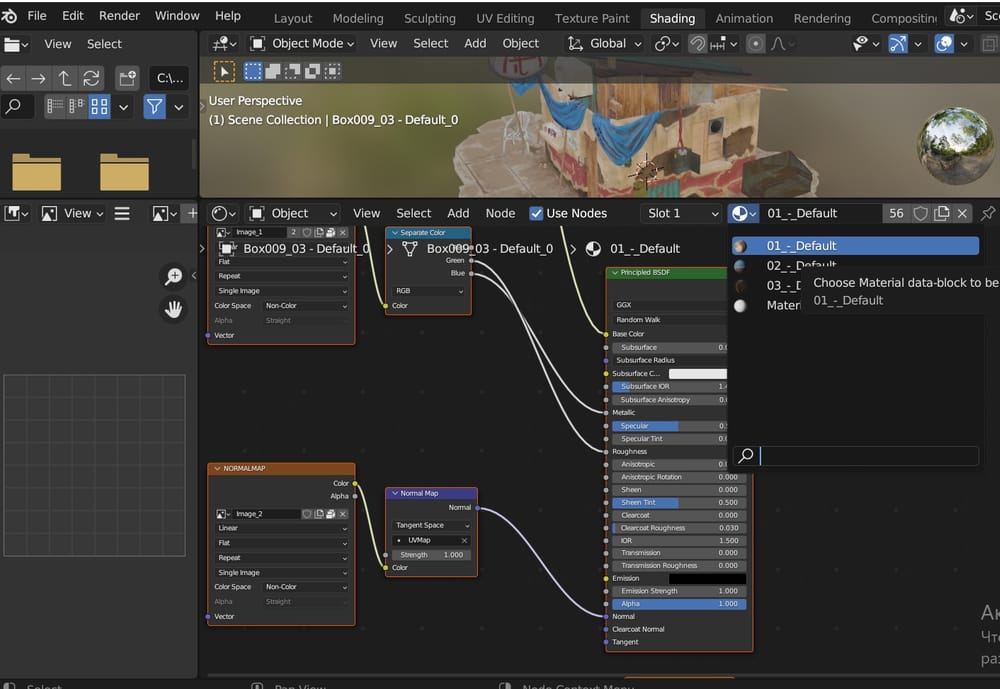
2 - Select each scene material one by one (As shown on screenshot)
3 - Unplug all nodes that contain textures except: Base color, Roughness and Normal